Tutorial · WhatsApp
Send WhatsApp template messages with the API
Create a template in the console, get it approved by Meta, then list and send it with a Bearer token and numbered variables.
Pixabits team · · 8 min read
On this page
WhatsApp only lets a business message a customer freely within 24 hours of the customer's last message. Outside that window, and to start a conversation, you send an approved template. This tutorial creates one and sends it through POST /api/wa/v1/send.
Before you start
- A WhatsApp business number (WABA) connected in the Pixabits console.
- Console access to WhatsApp → Templates and WhatsApp → APIs & SDK.
1. Create the template
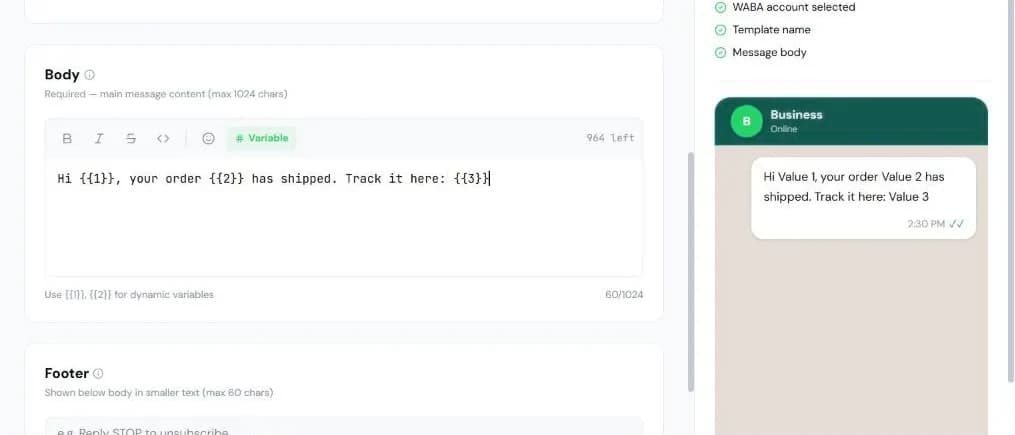
Open WhatsApp → Templates and create a new template for the business number selected in the top bar. Under Basic Info, enter a name (lower-case letters, numbers and underscores only), pick the category (Marketing, Utility or Authentication), the template type (Standard or Carousel) and the language.
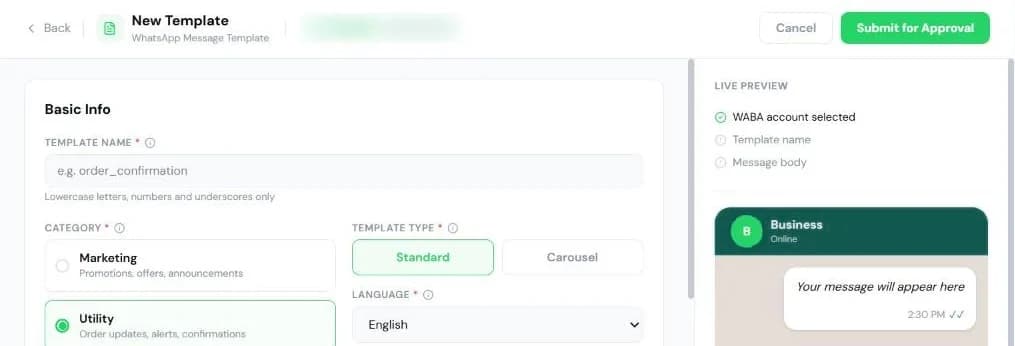
Write the Body (up to 1,024 characters). Put each variable part in numbered placeholders: {{1}}, {{2}}, {{3}}. The live preview shows how it will look. You can also add a header (text, image, video, document or location), a footer of up to 60 characters and buttons.
Choose Submit for Approval. The template is sent to Meta and shows as pending until Meta approves or rejects it; the Templates list picks up the result.
2. Create an API token
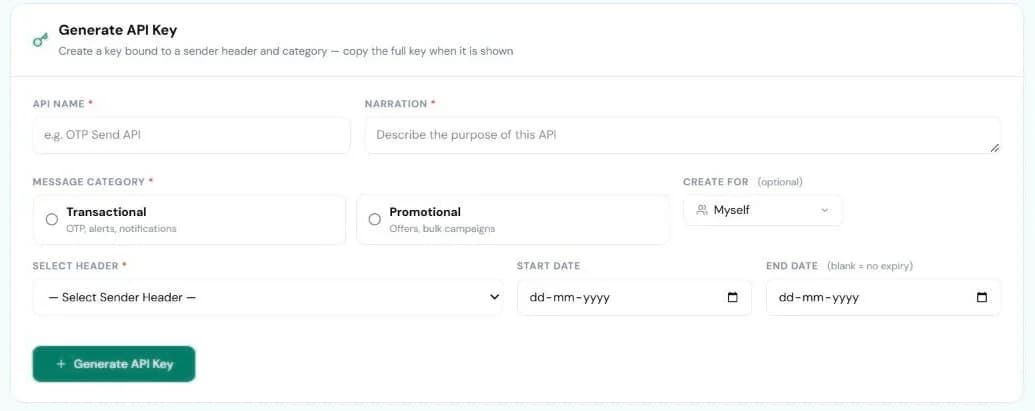
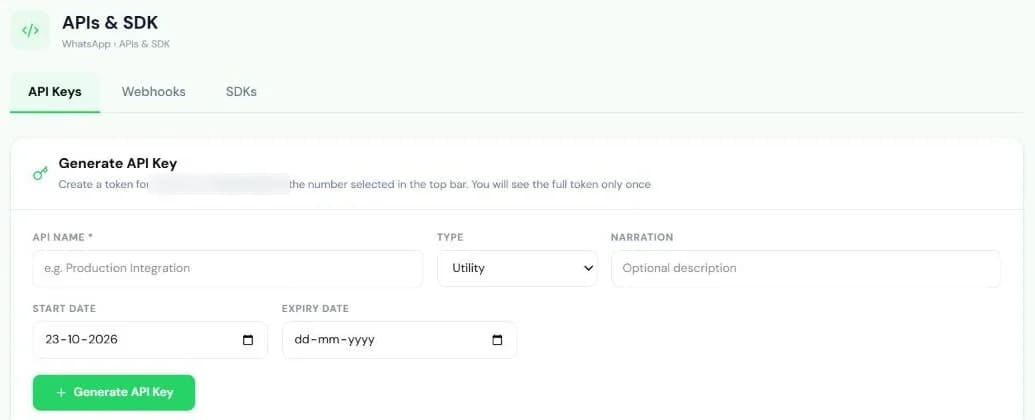
Open WhatsApp → APIs & SDK and use Generate API Key. A token belongs to exactly one business number, the one selected in the top bar, so everything you do with it stays on that number. Tokens can have a start date and an expiry date. The full token (pxa_…) is shown once.
3. Find the template ID
WhatsApp endpoints use Authorization: Bearer <token>. List the approved templates on the token's number:
curl "https://pixabits.ai/api/wa/ext/templates?status=approved&category=UTILITY" \
-H "Authorization: Bearer pxa_your_token_here"{
"success": true,
"data": {
"templates": [
{
"id": "b3f1c8a2-4d7e-4a19-9c02-8e5f1a6d3b47",
"name": "order_shipped",
"category": "UTILITY",
"language": "en",
"body": "Hi {{1}}, your order {{2}} has shipped. Track it here: {{3}}",
"status": "approved",
"metaTemplateId": "…"
}
],
"total": 1
}
}Filters: status (default approved), category (MARKETING, UTILITY, AUTHENTICATION), language and type (standard, carousel).
4. Send it
curl -X POST https://pixabits.ai/api/wa/v1/send \
  -H "Authorization: Bearer pxa_your_token_here" \
  -H "Content-Type: application/json" \
  -d '{
    "to": "919876543210",
    "template_id": "b3f1c8a2-4d7e-4a19-9c02-8e5f1a6d3b47",
    "var_1": "Asha",
    "var_2": "ORD-48213",
    "var_3": "https://example.com/t/48213"
}'| Field | Required | What it is |
|---|---|---|
to | Yes | Recipient. 919876543210, +919876543210 and a 10-digit Indian mobile such as 9876543210 all work; a 10-digit number starting 6–9 gets 91 added. |
template_id | Yes | The template id (UUID) from step 3, or Meta's numeric template ID. The template must be approved. |
var_1, var_2, … | If the body has variables | One value per body placeholder: {{1}} takes var_1. |
header_var_1, … | If the text header has variables | Numbered separately from the body. |
media_url, media_type, file_name | For media headers | The header file's URL, its type (image, video, document) and the file name shown for documents. |
button_url | For dynamic URL buttons | The variable part of the button URL. button_url_0, button_url_1, … address a specific button. |
extra | No | Your own reference (up to 500 characters), returned on status webhooks. |
{
  "success": true,
  "statusCode": 200,
  "jobId": "9f3c1d84-2b6a-4e18-b7c0-1a5d9e2f4c68",
  "messageId": "wamid.…",
  "inboxMessageId": "9f3c1d84-2b6a-4e18-b7c0-1a5d9e2f4c68",
  "conversationId": "4e8b2f19-7c3d-4a56-9e1f-3b8c6d0a5f27"
}
Keep jobId (it is what GET /api/wa/v1/report?jobId= takes) and messageId (Meta's ID, used by status webhooks). Keep conversationId if you will read or reply to the conversation.
Errors and fixes
Errors return { "success": false, "error": "…" } with a message that names the problem.
| HTTP | Message starts with | What to check |
|---|---|---|
| 401 | Missing Authorization header / Invalid or revoked API token / not yet active / has expired | The Authorization: Bearer pxa_… header and the token's dates. |
| 400 | "to" is required / "template_id" is required | Both fields are in the body. |
| 404 | Template not found | The template exists on the token's number and the ID is copied correctly. |
| 400 | Template "…" is not approved | Wait for Meta approval; check the Templates list. |
| 429 | Daily messaging limit reached for this number | The number's daily limit; sending resumes as the 24-hour window frees. Respect Retry-After. |
Next steps
- Reply inside the 24-hour window with
POST /api/wa/v1/inbox/conversations/{id}/reply. - Send to many recipients with
POST /api/wa/v1/send/bulk. - WhatsApp Business API product page